
I Realized My Game is Better Played With a Mouse

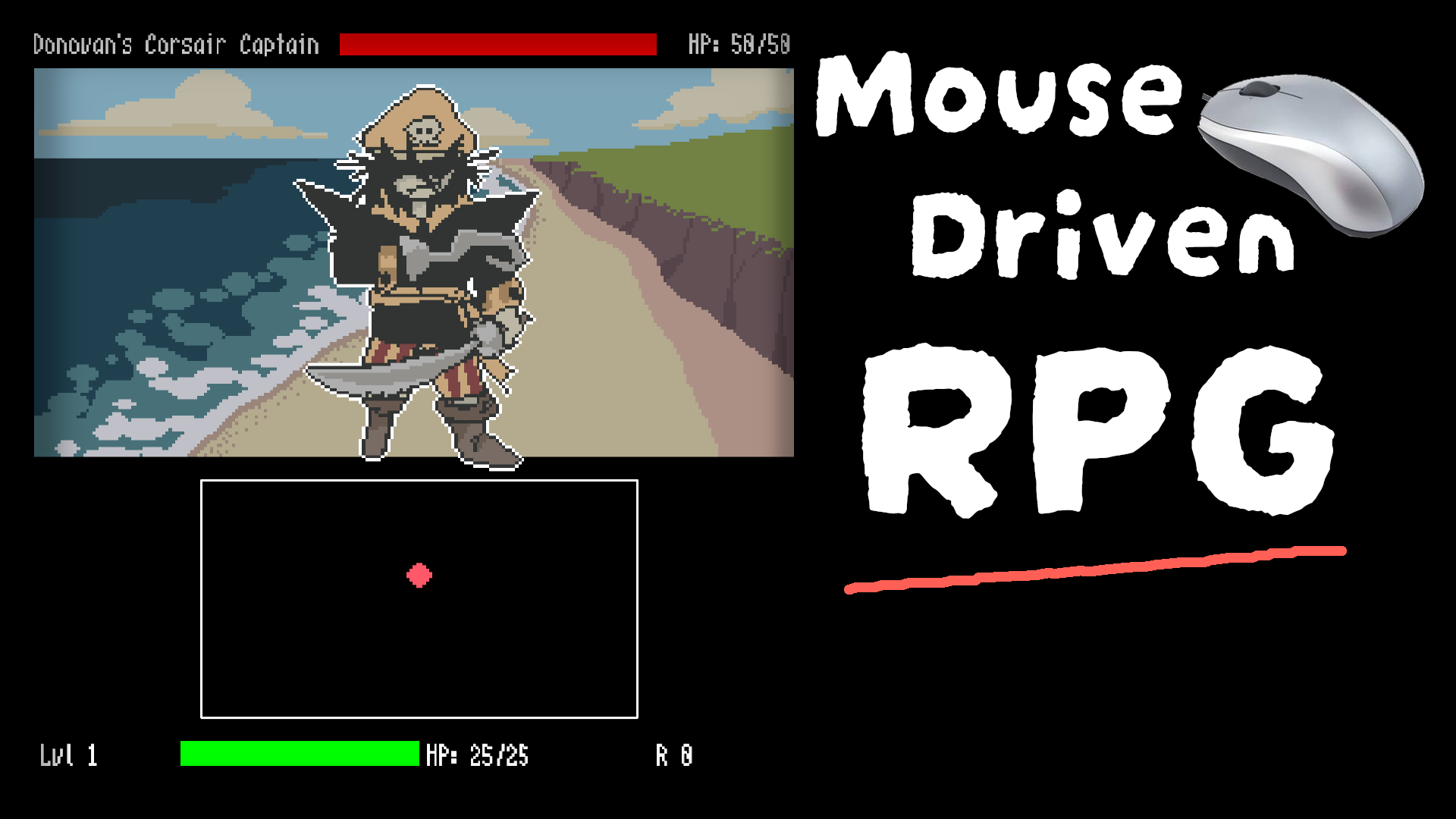
Check the video version version on YouTube, here.
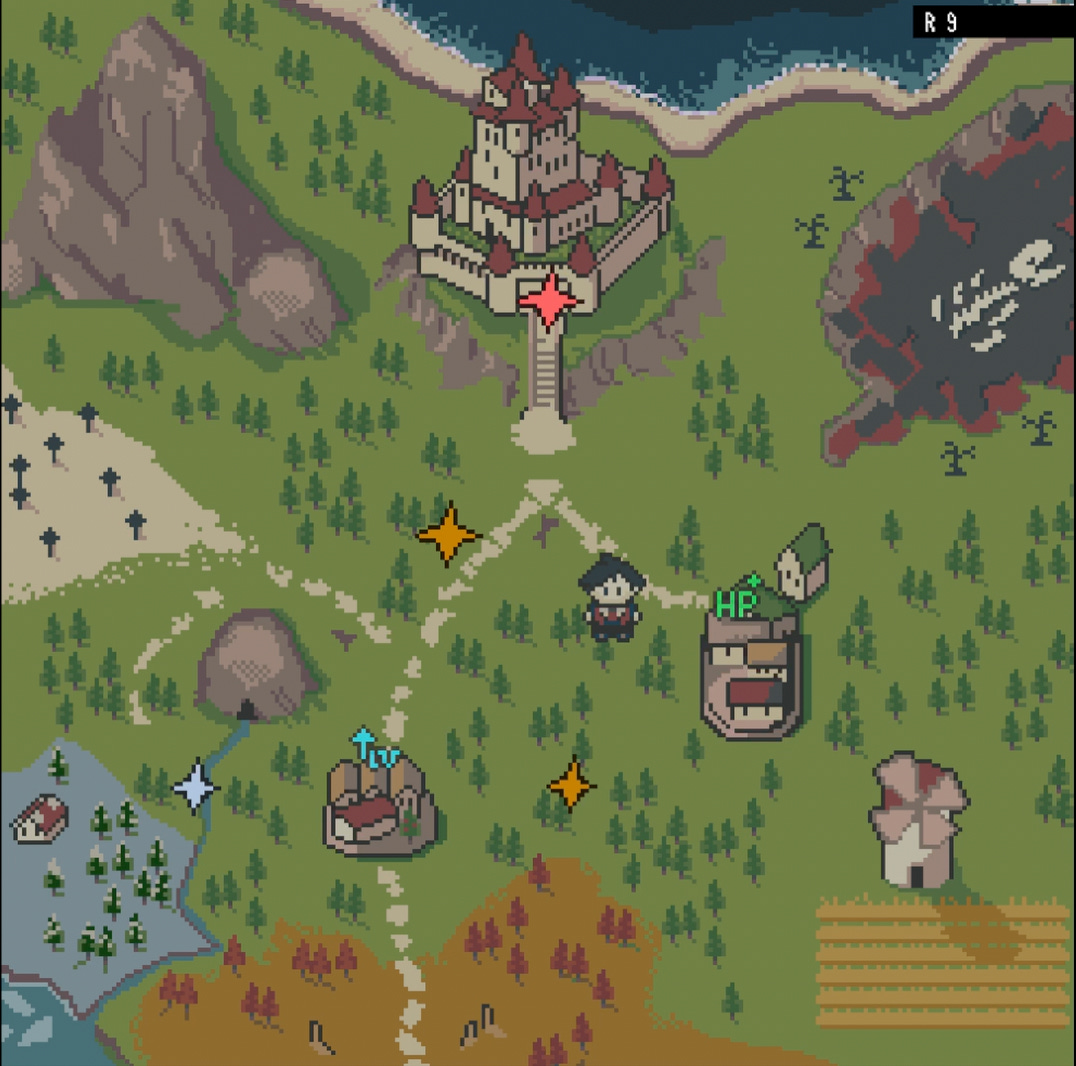
I have been working on a small action RPG where the player moves around on a small map. Once in a while, stars appear and if the player collides with one, a battle encounter begins.
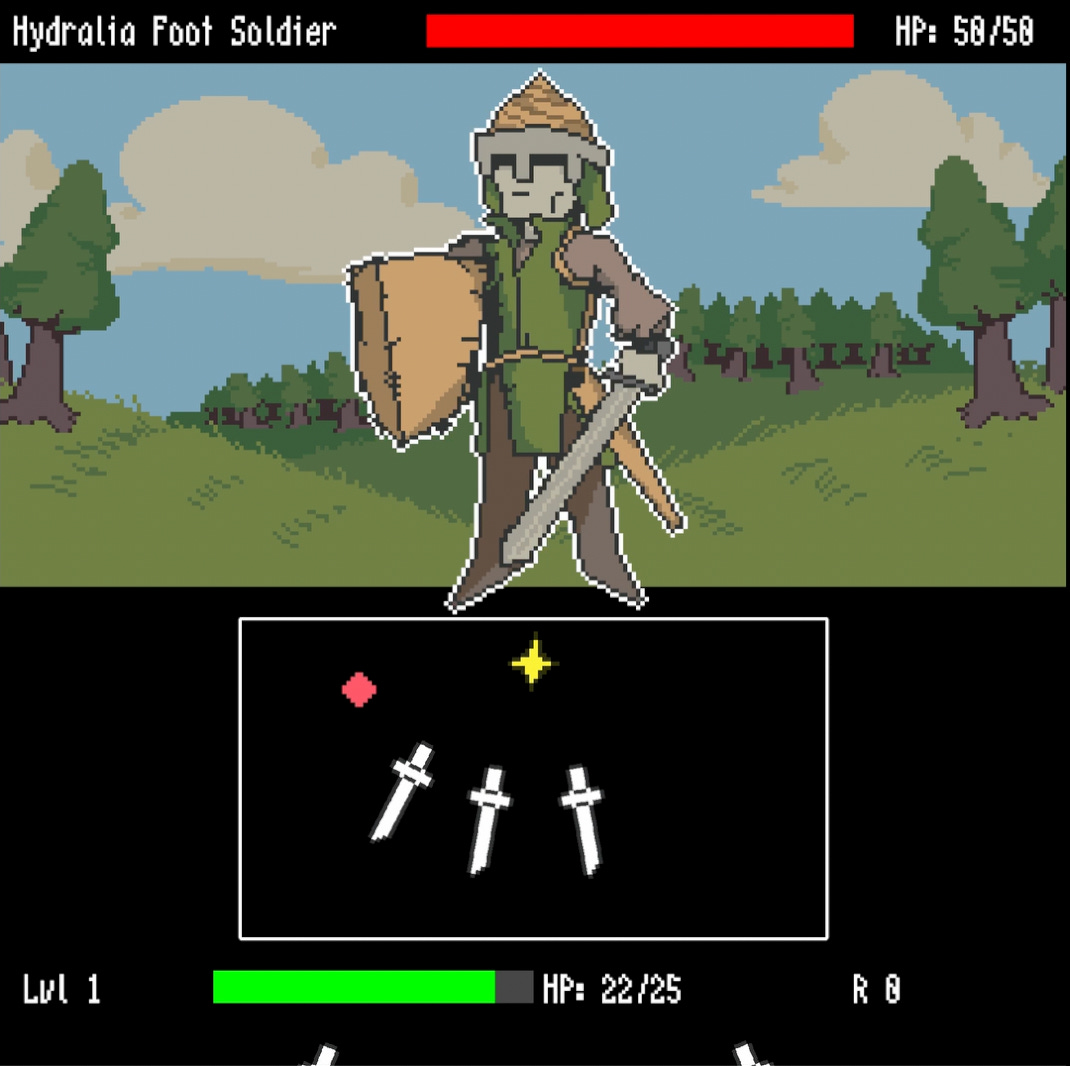
In combat, the player has to avoid getting hit by a slew of projectiles. To deal damage, they must collide with star shaped attack zones appearing on the battlefield.
After a battle, if they win, they get rewarded with a currency they can spend to either upgrade between three stats : health, attack or speed, or to heal themselves. After a stat upgrade, the cost to upgrade again will increase.
I initially designed the game to be controlled via the keyboard or a standard controller. However, this would end up changing as the title of this post suggests.
Resuming Development
After having developed the core game loop, I was unfortunately faced with a roadblock that stopped the project in its tracks.
The game’s performance wasn’t great. I originally built it using JavaScript and the KAPLAY game library. The crux of the issue was that KAPLAY wasn’t performant enough. This led me to embark on a side quest of exploring alternatives, which ended with me picking Godot.
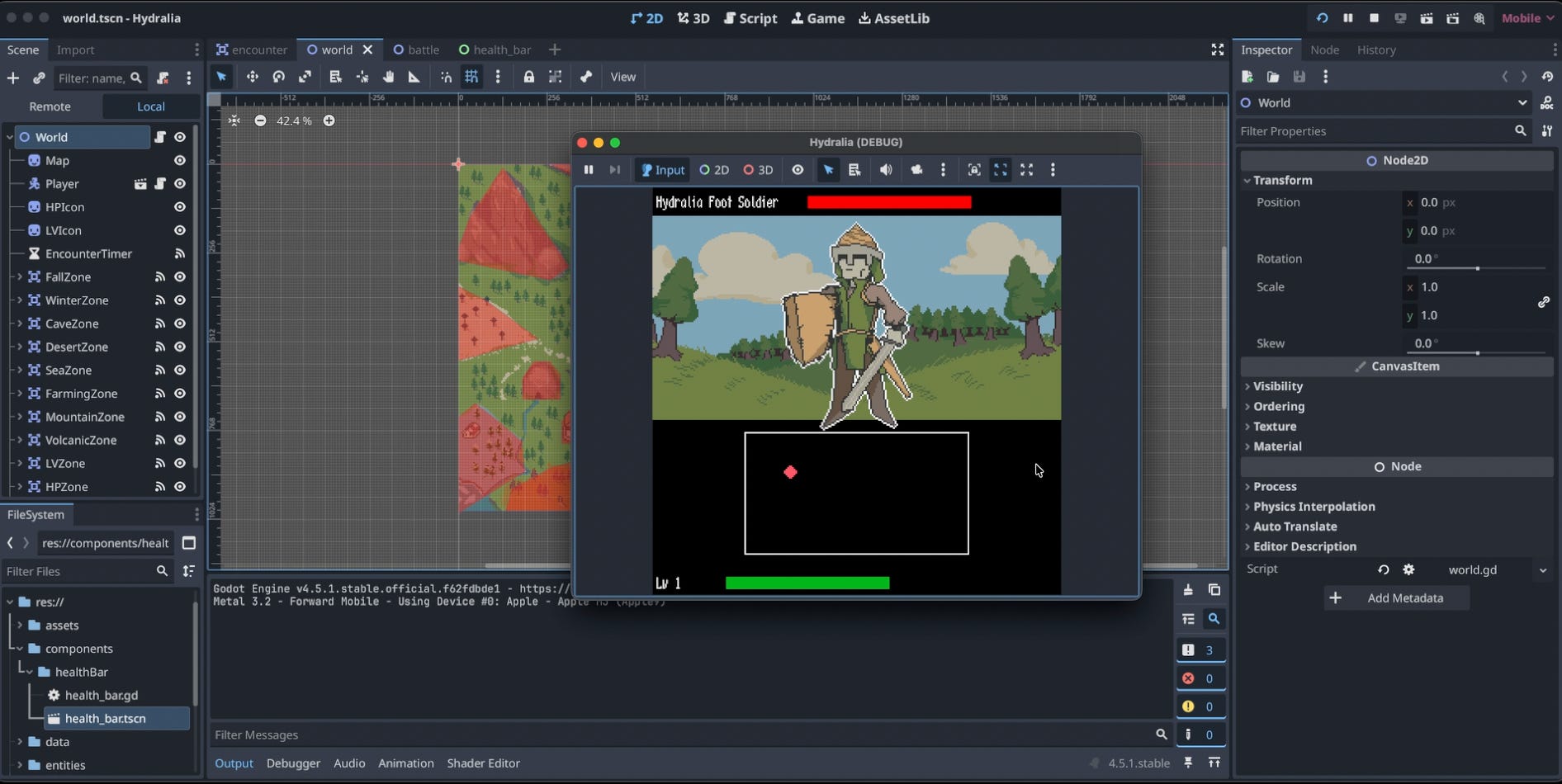
Therefore, I started re-implementing what I had in the JavaScript version. However, this is where I got completely demotivated. Nothing against Godot, but it just wasn’t fun re-doing all this work. KAPLAY was also faster for prototyping ideas. I started to procrastinate.
Because of this, I was faced with two options:
Either I just silently abandon the project.
I still resume its development in KAPLAY regardless of the performance.
At this point its either there is a game in the end even if it doesn’t run super well or there is nothing.
That said, the main factor that lead me to push forward was the reception the first devlog had on YouTube.
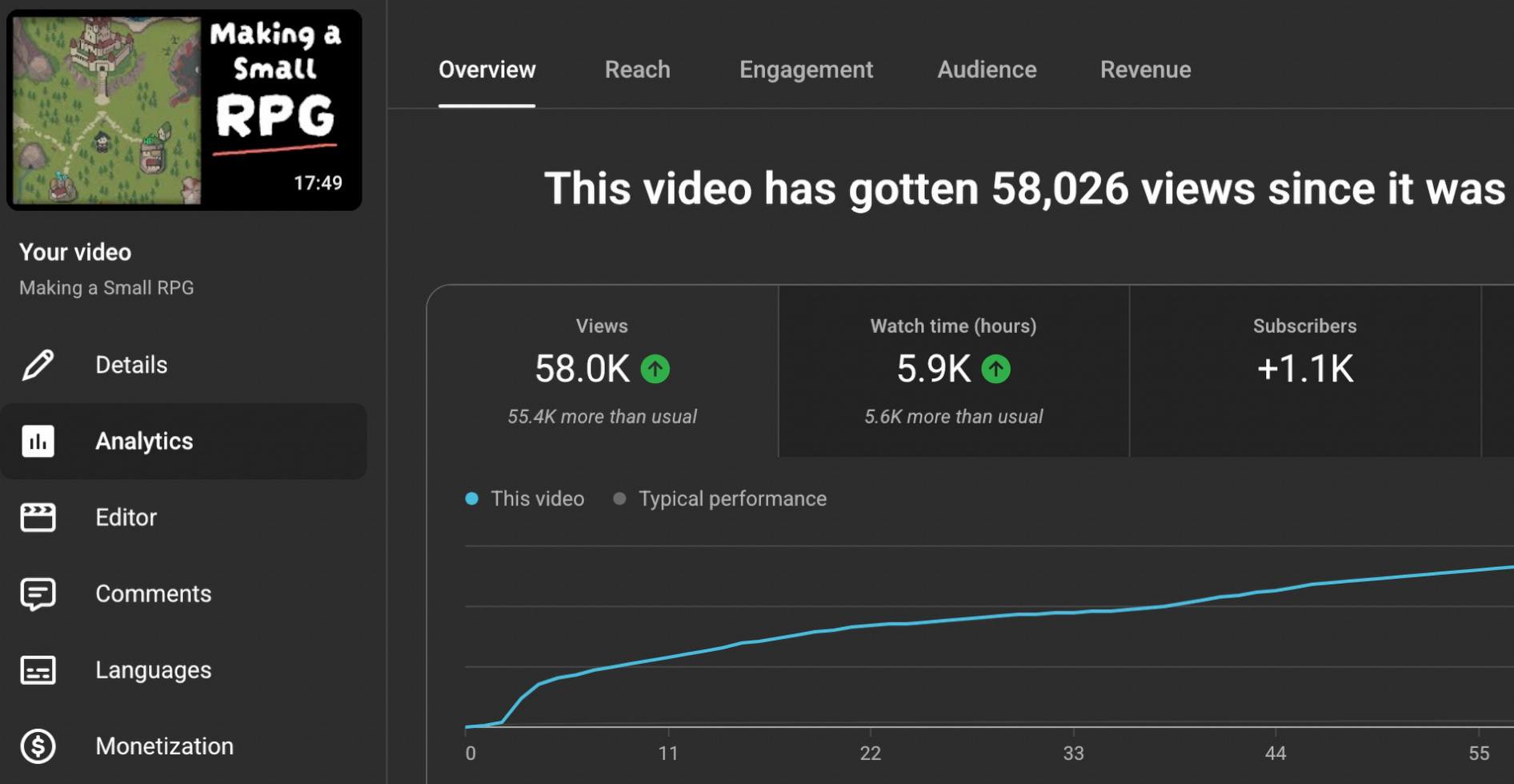
I did not expect a haphazardly put together devlog recorded while I was still recovering from a cold to garner over 50k views. This seemed to show genuine interest in my game and it seemed worth it to continue its development.
Therefore, I re-opened my codebase and started working. This is where something really amazing occured. The KAPLAY developers, while I was exploring other alternatives, released new versions of the library that improved performance noticeably. This led me to regain my motivation.
The Pillar of My Game : The Battle System
Now that I was back to developing my game, I assessed that its pillar was the combat system. Unfortunately, battling wasn’t as fun as it could be. I identified that the core issue at hand was a lack of thoughful design in the enemy attack patterns.
To make things easier to test, I created a scene where I could initiate a battle with any specific enemy in my game rather than having to move around the map until an encounter occured. This would allow me to quickly tweak attack patterns as needed which allowed for faster iteration. I also had to refactor my code a bit to make the way I spawned attacks more flexible and modular.
After having done this perparatory work, I wanted to start re-designing the attack patterns of the first enemy since it was the only one where I had actually put some time in designing a pattern beforehand even if it wasn’t very good.
This is where I was afflicted by the blank page syndrome. I absolutely had no idea how to approach this aspect of the game’s design. I didn’t even know were to start. Also, it didn’t help that I didn’t really play games with bullet-hell mechanics.
I figured out I needed to do some research. This is where I concluded that what I had in mind for my project shared a lot design-wise with games in the Shump genre otherwise known as Shoot’em up. A big portion of their gameplay is about avoiding projectiles which is what my game is mostly about.
While I was looking up how Schumps were designed, I came across an interesting document by a Shump dev and designer named Bog Hog.
Titled BULLET HELL SHMUP DESIGN 101, it contained exactly what I needed to make good attack patterns for my enemies.
While it’s filled with useful design knowledge that I won’t have the time to cover here, a few concepts listed under the BULLET PATTERN section really stood out.
To summarize, the document explained that at its core, bullet attack patterns can be boiled down to three simple bullet pattern types.
Static : where the bullet has a predefined trajectory, this is useful for creating obstacles. This will force the player to engage with the dodging mechanic fully. It also has the advantage of allowing you to design beautiful looking patterns since everything is predetermined.
Aimed : where the bullet targets the player, this is good for applying pressure and forcing the player to move. You essentially, don’t want the player to camp and cheese the game that way which is possible if you only have static patterns.
Random : as the name implies, this is when the pattern is randomized to keep things fresh. However, the document warns to use this carefully as it’s bound to create unfair situations.
Armed with this knowledge, I was able to design an attack pattern that was far better than what I previously had.
That said, a single pattern would not be enough to make a whole combat encounter interesting. To fix this, I decided to design mutliple different patterns that would be used according to the enemy’s HP. As it got lower, harder patterns were introduced. Essentially, this is the concept of phases which is commonly seen in boss fights of various games.
As I playtested the game myself, while I could see improvements with the battle system, there was still something that felt off. I would end up figuring out that the fact that attack zones, which the player uses to deal damage, were spawned randomly reduced the feeling of mastering a fight. By extension this reduced enjoyment.
It felt unfair that despite masterfully avoiding a slew of attacks, you could be in the unfortunate position of having an attack zone spawn too far away from where you were. A similar feeling to this is when you play soccer and your team dominates possessing the ball but all shots mades never converts to a goal.
To fix this issue, I decided to make attack zones spawn in predetermined locations. For each phase of the battle there would be a maximum amount of attack zones that could be available at once and their positions would be randomly selected among a list of predetermined locations. Playtesting again, this change seemed to fix the issue.
Designing Difficulty
One challenge I faced during development was how difficult it was to gauge whether an attack pattern would be perceived by players as too difficult or too easy. Fortunately, because my game has a level-up system and is non-linear, I was able to address this issue by designing all enemy battles to be very challenging at level 1.
If a player struggled, they could use the currency earned from barely defeating an enemy to upgrade their stats, gradually making the game easier over time.
After having designed the full battle encounter with the most basic enemy of the game, I decided to let my brother test it out to see if my intuition about game design and difficulty would hold. I proceeded to hand him over my development machine and explained him the controls. After letting him play for a bit, he mentioned how the arrow keys used to move around were uncomfortable.
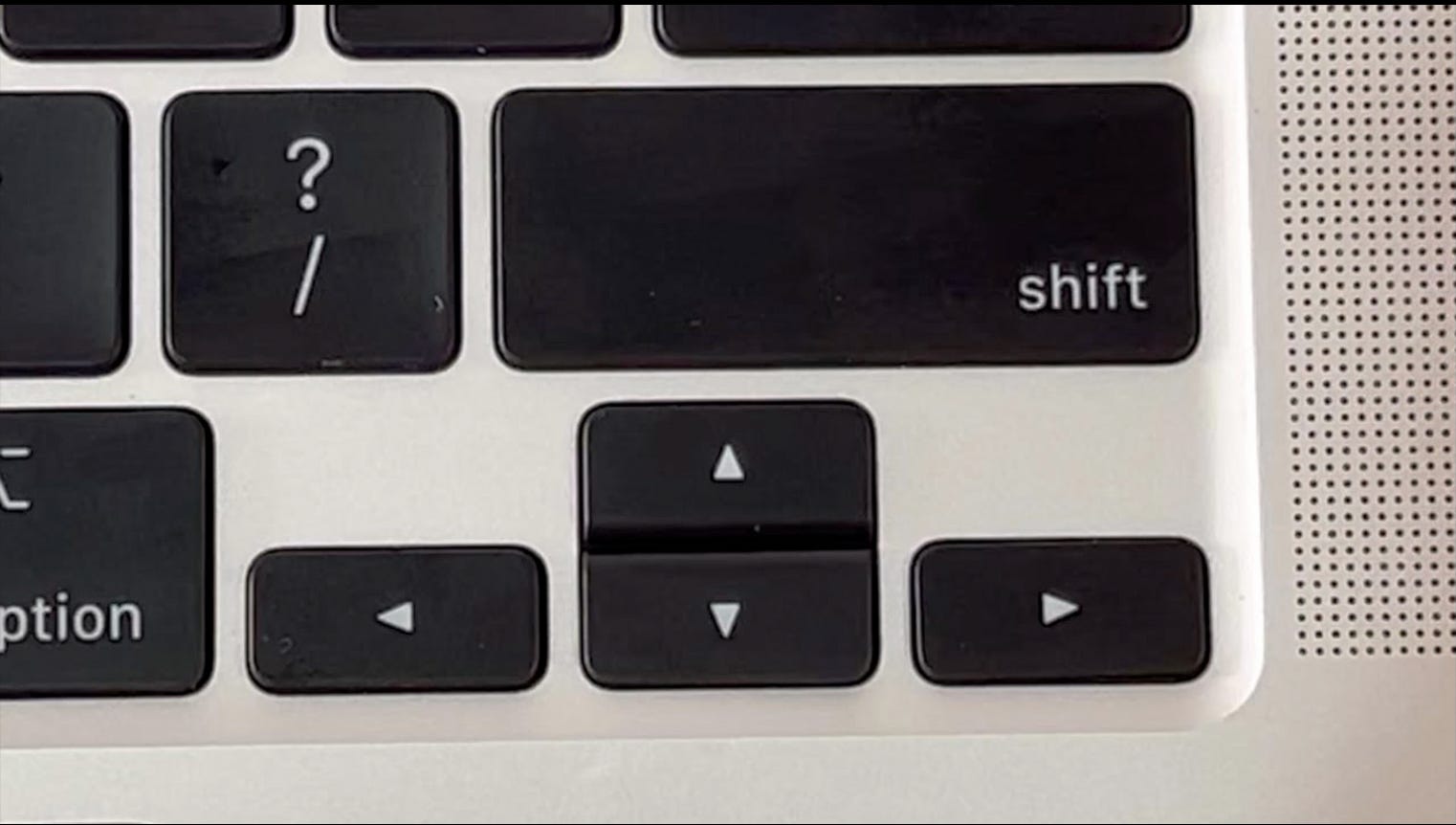
To understand his complaint, it’s worth mentioning that I’ve been developing on a MacBook Air M3, and the arrow keys on this device are really narrow, which explains why he felt cramped while playing. He then asked if he could use WASD keys instead. Although it wasn’t implemented, I obliged, and he had a much better experience.
However, after he finished playing, he mentioned that the battle was too difficult and that it would have been much easier if he could control the cursor during battle with a mouse.
I initially dismissed this suggestion because it would literally turn my game on its head. In my RPG, players can upgrade three stats: attack, HP, and speed. Implementing mouse input would have required removing the speed stat because moving slower than the mouse cursor would feel awkward. This would have left my RPG with only two upgradeable stats, making the change feel like it took too much away from the game.
Another issue with this change is that other input methods wouldn’t be able to compete with a mouse or trackpad, which are much more precise and allow players to move more easily. This would essentially mean committing to a mouse-driven game and designing all attack patterns around that control input method.
Additionally, I would have had to reimplement movement controls in the overworld, since it would feel strange to move with arrow keys or WASD but then have to use the mouse in battle. I would also have needed to adjust my menus to work with mouse input instead of just keyboard or controller controls.
Finally, the game would only work as a PC title, since bringing it to consoles would alter the experience too much, unless you relied on the PS5 or Steam Deck trackpads or the Switch 2’s mouse mode. This wasn’t a major concern during development, as I wasn’t designing with consoles in mind but I thought that it would be a shame if the game does become successful but couldn’t be ported to console due to the game’s fundamental design.
Implementing Mouse Input
I eventually came around to the idea of mouse movement and decided to implement it in combat, mainly out of curiosity to see how the game would feel with this input method.
To my surprise, controlling the cursor with the mouse was far better than I expected. Moving around was incredibly fun, and the sense of control and precision was unmatched compared to using arrow keys or even a controller’s joystick.
I was now convinced, this was the way. Too bad if the game doesn’t become adaptable to consoles, I would commit this title to being a mouse/trackpad driven game and would design all battles with this input method in mind.
I proceeded to make all kinds of changes to better suit this new playstyle, but I don’t think they’re worth covering here. Instead, why not try it for yourself?
Try The Battle System Demo
That’s why I’m excited to announce that I’ve released a demo of the battle system, which you can try directly in your browser on itch.io with no downloads required.
In this demo, you’ll face the game’s most basic enemy while your character is at level 1. Keep in mind that it’s normal for the battle to be challenging, but you should be able to defeat the enemy at least once. In the full game, the currency gained from battles can be used to level up, making future encounters with the same enemy easier over time.
Give it a try and let me know what you think!
Link to the demo : https://jslegend.itch.io/hydralia-donovans-demise-battle-demo
Conclusion
That’s all I have to share for now. If you missed the first devlog, here’s a link to it.

Anyway, if you want to keep up with the game’s development or are more generally interested in game development, I recommend subscribing to not miss out on future posts.
In the meantime, you can read the following :


